The HouseHOLD management system that no one asked for… but everyone needs.

The most boring
app in the world.

Deliberately. Bills, boiler, MOT, warranties, meter readings — quietly filed, and gently remembered.

Built in the UK · A private tool for one household

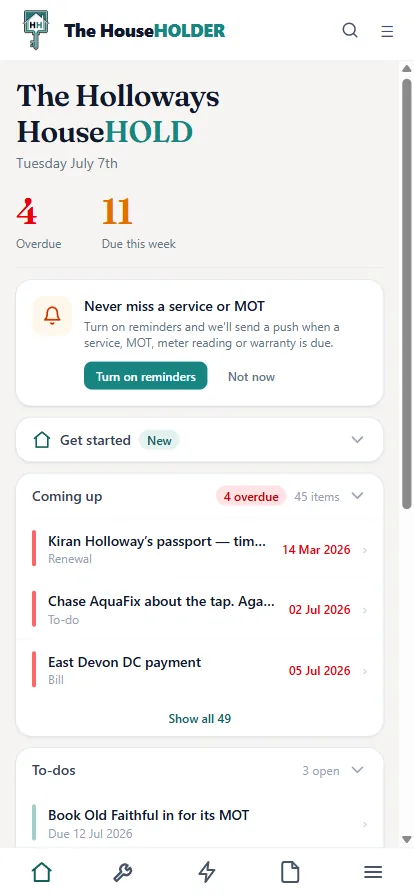
The HouseHOLDER dashboard on a phone, showing what's overdue and due this week

The whole tour, in one breath

Everything it quietly does.

The entire point of the app, before you scroll a single pixel. Tap anything to skip to the proof.

Yes, I’m fun at parties.

If you only look at two

These two do the heavy lifting.

One gets the whole house into it without you typing a thing. The other runs the school holidays. Everything else is below, and none of it is in a hurry.

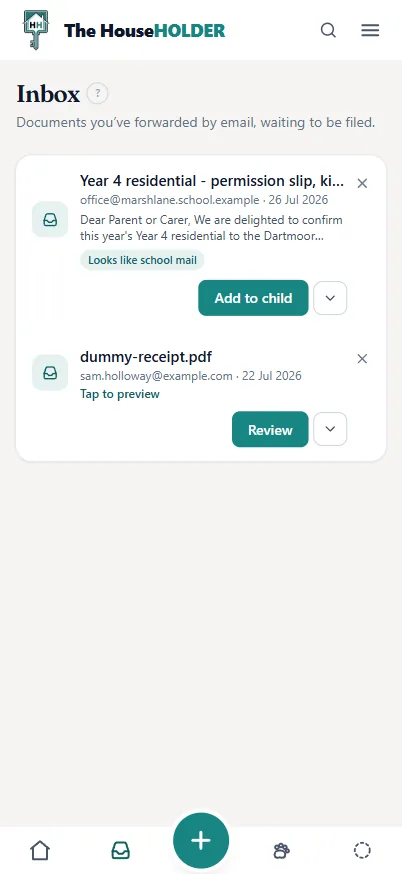
The Inbox on a phone: a forwarded school email recognised as school mail, and a receipt waiting to be reviewed
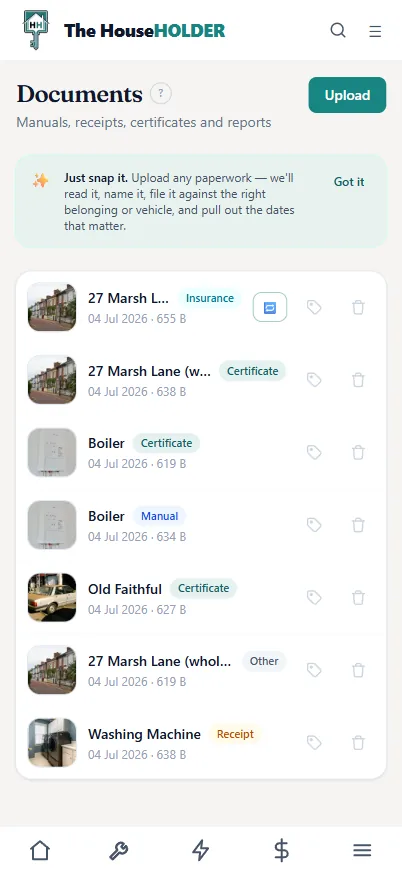
The Documents page on a phone — everything forwarded, read, named and filed

The inbox

Forward the receipt. Forget the receipt.

Every household gets its own inbox address. Forward a bill, a receipt or a warranty PDF and it lands in your Inbox — read, named and filed against the right thing. Senders it doesn’t recognise are politely held for you to approve.

  1. Forward it — to your private address, from any phone, any inbox, mid-queue at the tip.
  2. It reads it — supplier, amounts and the dates that matter, pulled out automatically.
  3. It files it — against the right boiler, car or bill. You never touch a folder.

The three ring binders under the stairs can retire. So can the drawer.

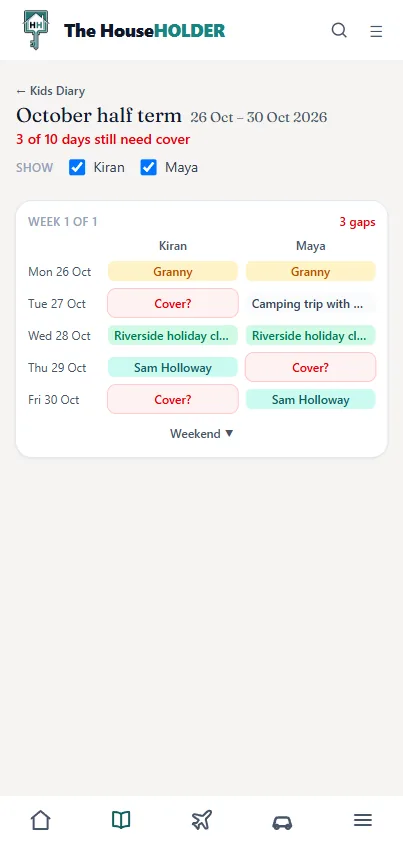
A school-holiday cover grid on a phone: each day of October half term showing who has Maya and Kiran — Granny, a holiday club, a camping trip, and the days still to cover glowing red
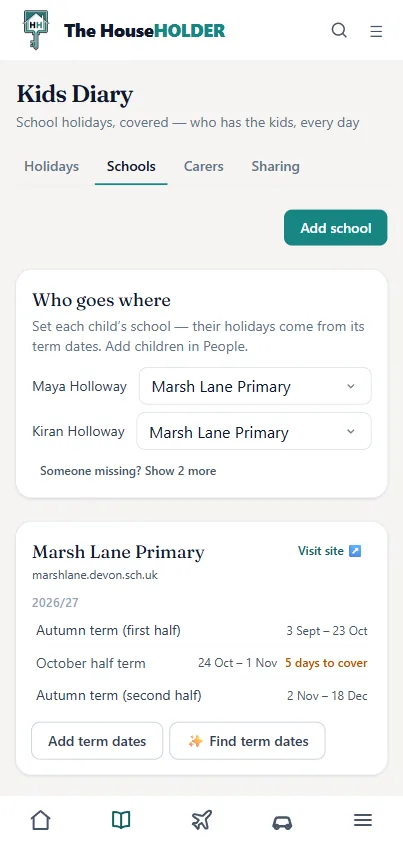
The Kids HQ schools view on a phone: each child’s school and its term dates, with the half-term holiday and how many days it needs cover

Kids HQ

School holidays, covered. School email, actually read.

Add each child’s school and it works the holidays out from the term dates. Then it’s one honest grid: Granny here, holiday club there, a camping trip, and the days still uncovered glowing red. Forward the school email and it comes back as one line you can actually skim — the dates lifted out, “return this by Friday” turned into a to-do, filed under the right child.

Share one child with their other parent and they see that child — only that child, never the rest of the house. You both got that email anyway; now whoever gets to it first ticks it off, and neither of you does it twice.

Six weeks of summer, thirty working days, two parents and a group chat. The spreadsheet finally died. No flowers.

Reviews nobody asked for

“F**king boring. I use it every day.”
— Mark, the founder (biased)
“I opened it to log a meter reading and fell asleep. Five stars.”
— A user, allegedly
“It’s like having a very boring butler. We love him.”
— A household we didn’t pay
“The desk asked for our booking reference. I produced it with a speed my wife found unattractive.”
— A man who peaked at the check-in desk
“My other half asked when the boiler was last serviced. I knew. I KNEW.”
— A household hero, unverified
“I used to keep everything in a drawer. The drawer has been released back into the wild.”
— A reformed drawer owner
“10/10. Would file paperwork again.”
— Someone’s dad

We wrote these ourselves. Except the founder’s — he really does talk like that.

What it actually does

Here is the exciting part.
There isn’t one.

Instead, here is everything it quietly does so you never have to think about it again — in three parts: the house, the family, and the admin.

Chapter one

The house

The building and everything bolted to it: the boiler with its paper trail, the paperwork that files itself, and which white the hallway actually is.

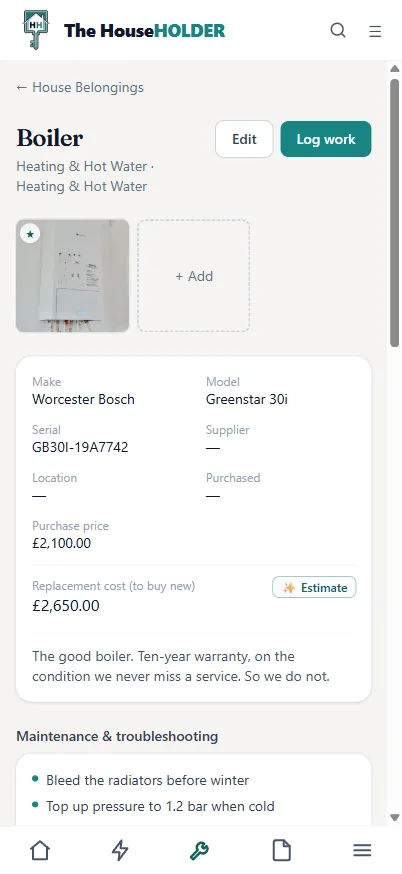
The boiler’s page on a phone — make, model, serial, replacement estimate and maintenance tips

Belongings

Every appliance. Every manual. One boring place.

Give it a make and model; it finds the manual, a photo, what it’d cost to replace, and where the paperwork lives. The boiler now has a file. So does the lawnmower.

“The good boiler. Ten-year warranty, on the condition we never miss a service. So we do not.”

Paperwork

Snap it. It reads, names and files itself.

The Documents page on a phone — paperwork read, named and filed against the right belonging

Upload any bill, receipt, manual or certificate. It reads it, names it, files it against the right boiler or car, and pulls out the dates that matter. The three ring binders under the stairs can retire.

Warranty claim approved because I had the receipt. HAD. THE. RECEIPT.

Paint colours

Which white is the hallway? It knows. Code and all.

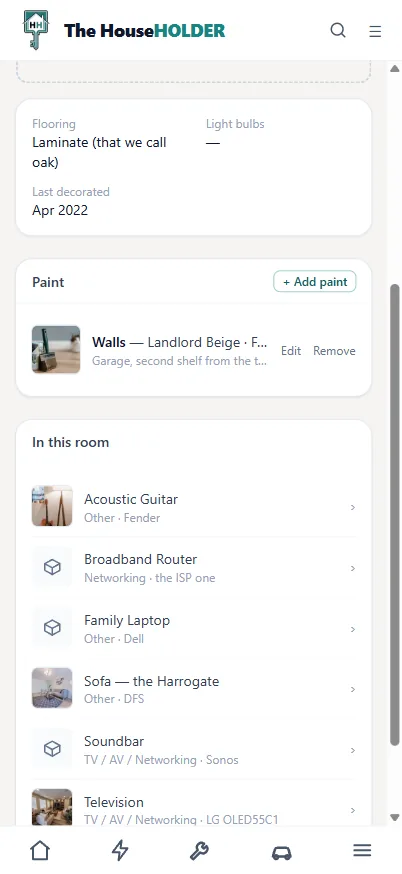
The room’s paint on a phone — colour, brand and finish, with a photo of the tin and where the leftovers live

Brand, colour, code and finish for every room, a photo of the actual tin, and which shelf the leftovers live on. Snap the tin and it reads the label for you.

Meters

Meter readings that draw their own charts.

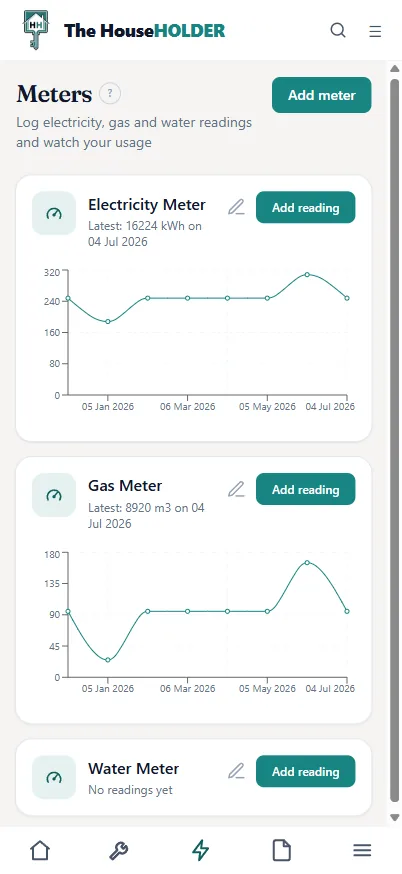
The Meters page on a phone — electricity and gas usage charts

Photograph the meter on the 1st. The number lands, the line moves, and a year later you can prove exactly what the cold snap cost. Riveting stuff.

“It nagged me about the gutters. The gutters, for f**k’s sake. …They did need doing.”
— Mark’s neighbour, probably

Chapter two

The family

The people in it, where they’ve got to, and the dates that catch you out — half term, a passport two weeks short of Spain, and the dog’s booster.

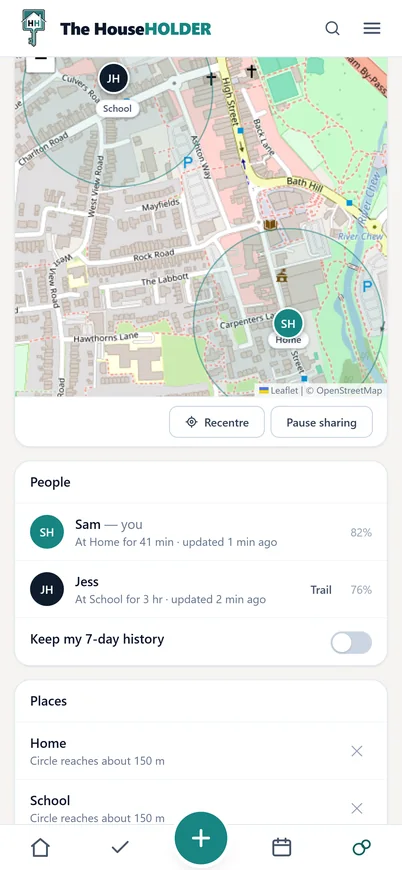
Our Bubble on a phone: one private household map with two dots — Jess at School, Sam at Home — each inside a named 150-metre circle, and a People list reading “At Home for 41 min” and “At School for 3 hr” with battery levels

Our Bubble

“Where are you?” Now a rhetorical question.

One private map of your household. Everyone who’s switched themselves on is a dot, with a plain line underneath — at School for 3 hr, on the move at 30 mph, battery 76%. Press and hold to name a place (Home, School, Gran’s) and ask for a nudge when someone arrives. No followers. No feed. Nobody typing “you nearly back?” into a group chat for the third time.

Everyone shares themselves — nobody can share you. Pause, and your position is erased on the spot. The seven-day history exists only while its switch is on, and goes the moment you turn it off.

“On the move at 3 mph” is me, ambling to the postbox. The map is not impressed either.

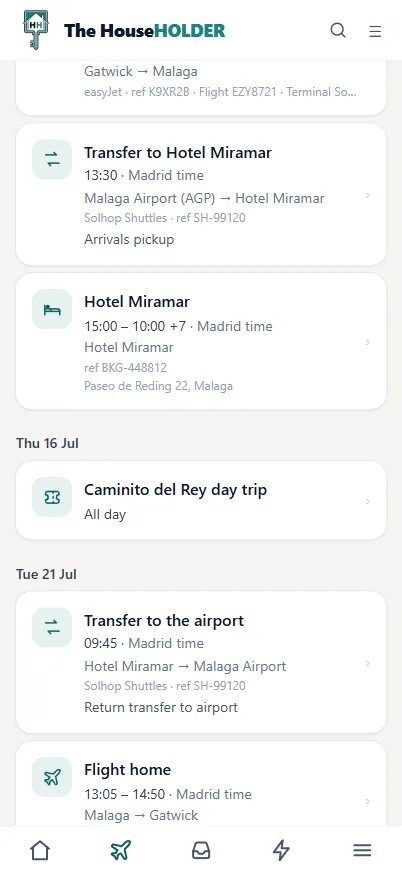
A holiday itinerary on a phone, grouped day by day — hotel check-in in Madrid time, an all-day activity, the transfer and the flight home, each with its booking ref
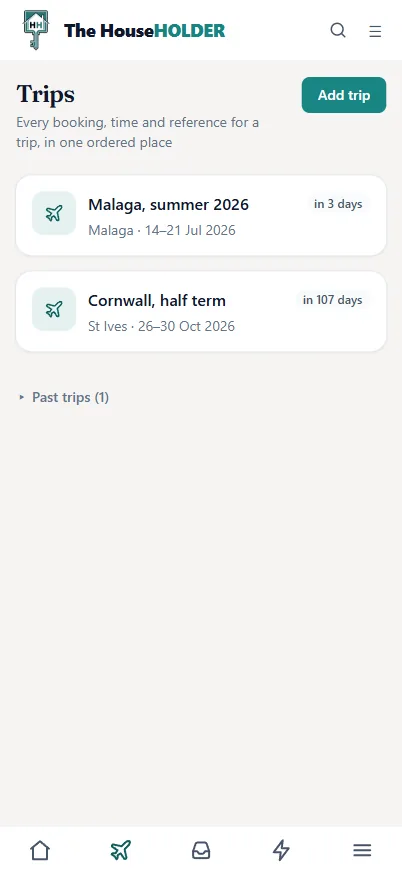
The Trips list on a phone: Malaga in 3 days, Cornwall in 107 days, past trips filed underneath

Holiday itineraries

Every ref, every seat, every transfer. One quiet timeline.

Forward the booking confirmations and the holiday assembles itself, day by day — flights, hotel, parking, transfers. Times read where you’ll be standing (arrivals in Madrid time), the boarding pass stays clipped to its flight, and “leave by 06:30” glows a quiet amber.

Forwarded one email. The whole flight appeared, ticked and editable. I did nothing and took full credit.

Passports & licences

Every passport and licence, renewed before it lapses.

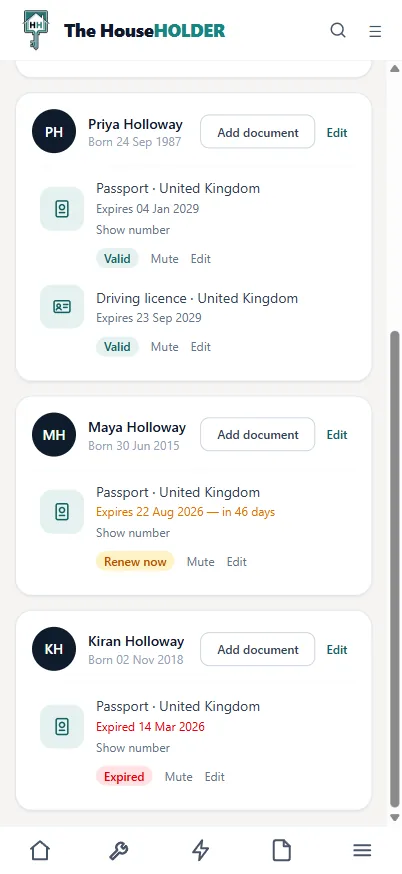
The People page on a phone: each family member’s passport and driving licence with Valid, Renew now and Expired reminder pills

It nudges you a year ahead of each expiry — plenty of time to renew without the panic fee. The document numbers are stored encrypted, shown only when you tap.

Pets

The dog has a file now.

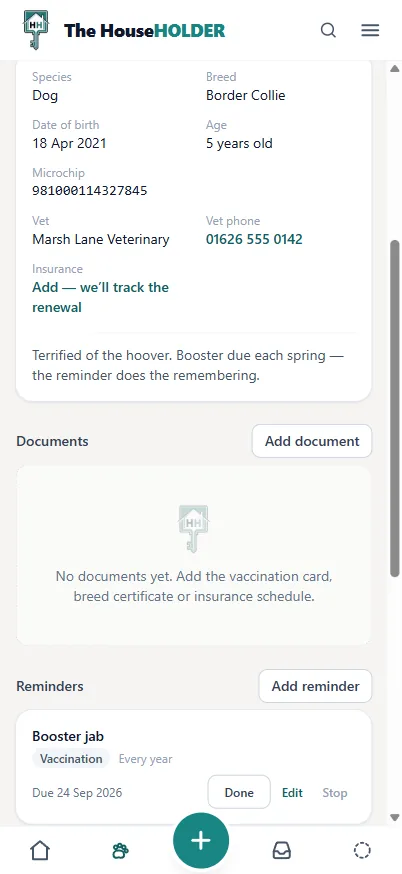
Bramble’s page on a phone — microchip number, the vet and their number, insurance, and a booster jab reminder due in September

Microchip number, the vet’s phone number, which food, and the next booster due — with a nudge before it lapses. Insurance renewal too, before it quietly doubles.

“Four passports, four expiry dates, and it warns me a year early. I’ve never been so bored — or so unlikely to be turned away at the airport.”
— A dangerously organised parent

Chapter three

The admin

The money, the MOT and the jobs nobody volunteers for. The part of running a house that is genuinely, unrepentantly boring.

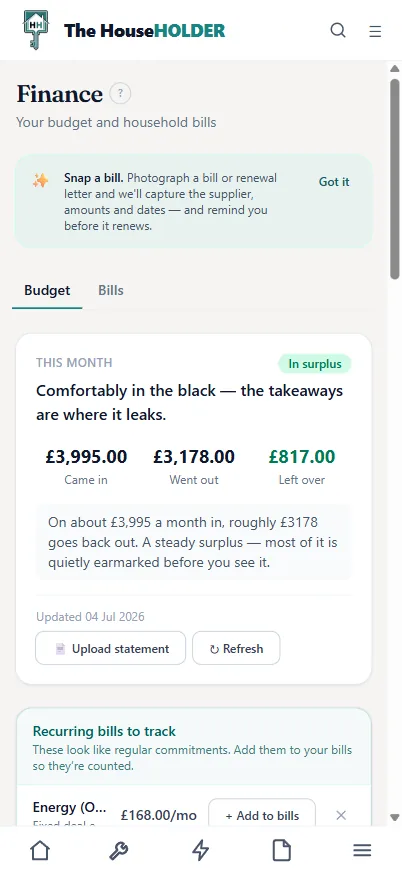
The Finance page on a phone — money in, money out and what is left over

Bills & budget

Bank statement in. Budget out. No spreadsheet was harmed.

Forward a statement and it sorts the outgoings into where your money actually goes — then flags the renewals quietly draining you, a month before they auto-renew.

Comfortably in the black — the takeaways are where it leaks.

Vehicles

Type the plate. It fills in the car — and the MOT date.

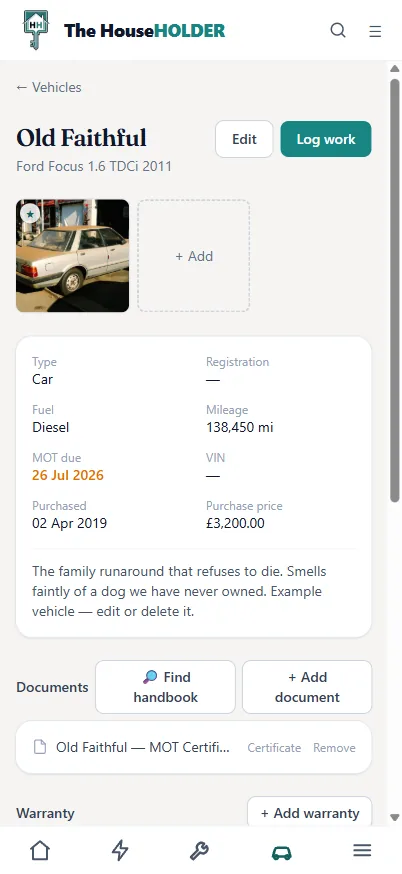
The car’s page on a phone — MOT due date, mileage and its filed MOT certificate

Add a car by its reg and the make, model, colour and MOT date arrive from the official DVSA record. It nudges you before the MOT lapses, and keeps the service history — every clunk, receipt and advisory.

Old Faithful: 138,450 miles, MOT booked. It will pass. It always passes.

Reminders

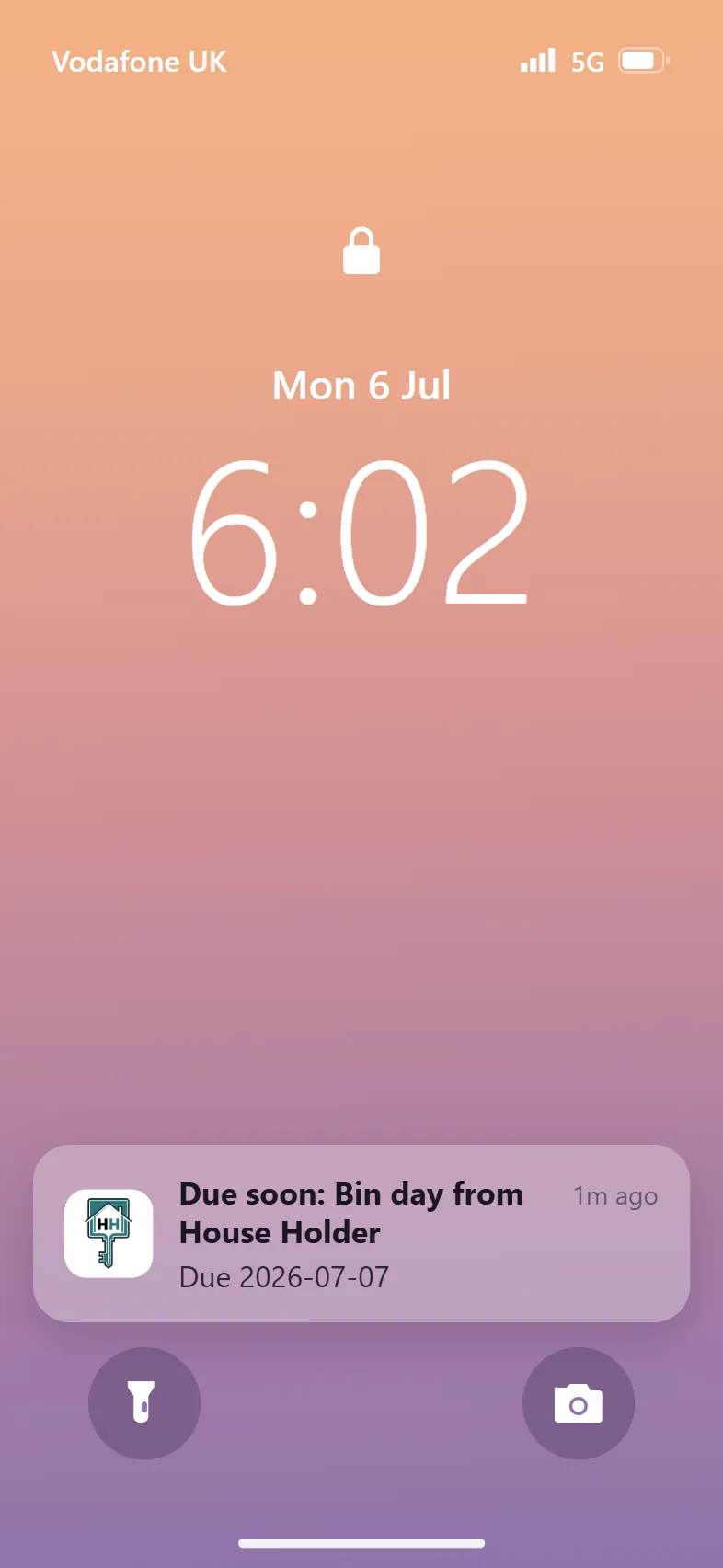
It remembers the bins. So you don’t.

An iPhone lock screen with a HouseHOLDER push notification: Due soon — bin day

Set a nudge for anything that stings if you forget — bin night, the boiler service, an MOT, a passport. Your phone gets a quiet heads-up the day before.

The to-do list

No streaks. No confetti. Just the jobs, queued.

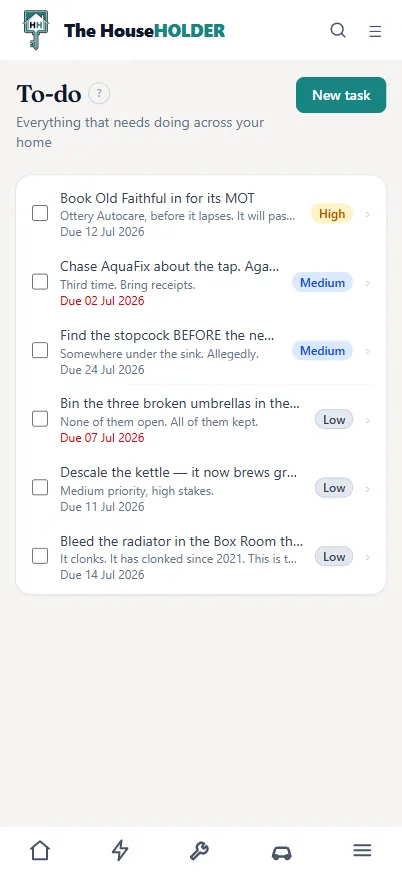
The to-do list on a phone — jobs with due dates and priorities, the overdue ones in red

Everything that needs doing across the house, with due dates, priorities, and a link to the room, car or appliance each job belongs to. Overdue turns red. That’s the entire drama.

“Renewal came round. I switched in time. I felt nothing.”
— An early user, emotionally beige

Empty, and already tidy

Most apps greet you with a blank void. This one gives you shelves.

Before you’ve added a single thing, it already knows where things go. Boring, yes. But the tidy kind — the kind you can actually start from.

Your data, always yours

Leave whenever you like. Take the whole house with you.

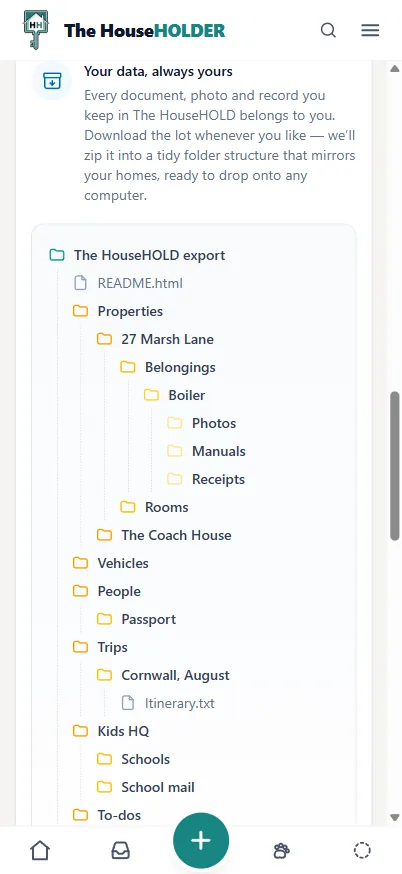
One click zips your entire home into a tidy folder tree that mirrors your properties — documents, photos, manuals and receipts, filed exactly where you’d expect. Drop it onto any computer. No lock-in, no hostage-taking.

Passports and passwords are flagged and kept separate — because some things should never sit quietly in a shared folder.

The data export on a phone: a folder tree that mirrors your properties — belongings, the boiler with its photos, manuals and receipts, vehicles, people, trips and Kids HQ

On the big screen too

Also boring on a bigger screen.

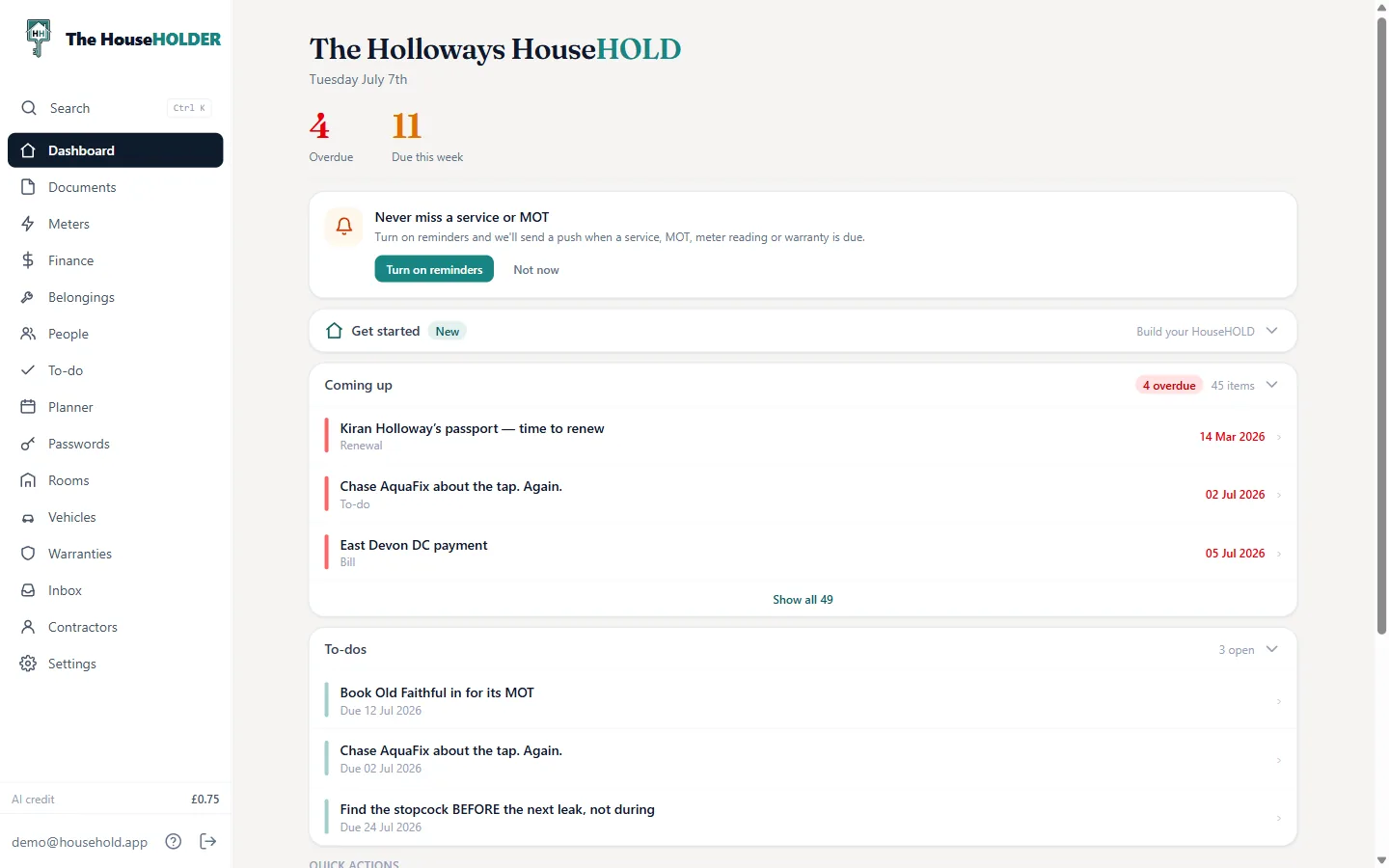
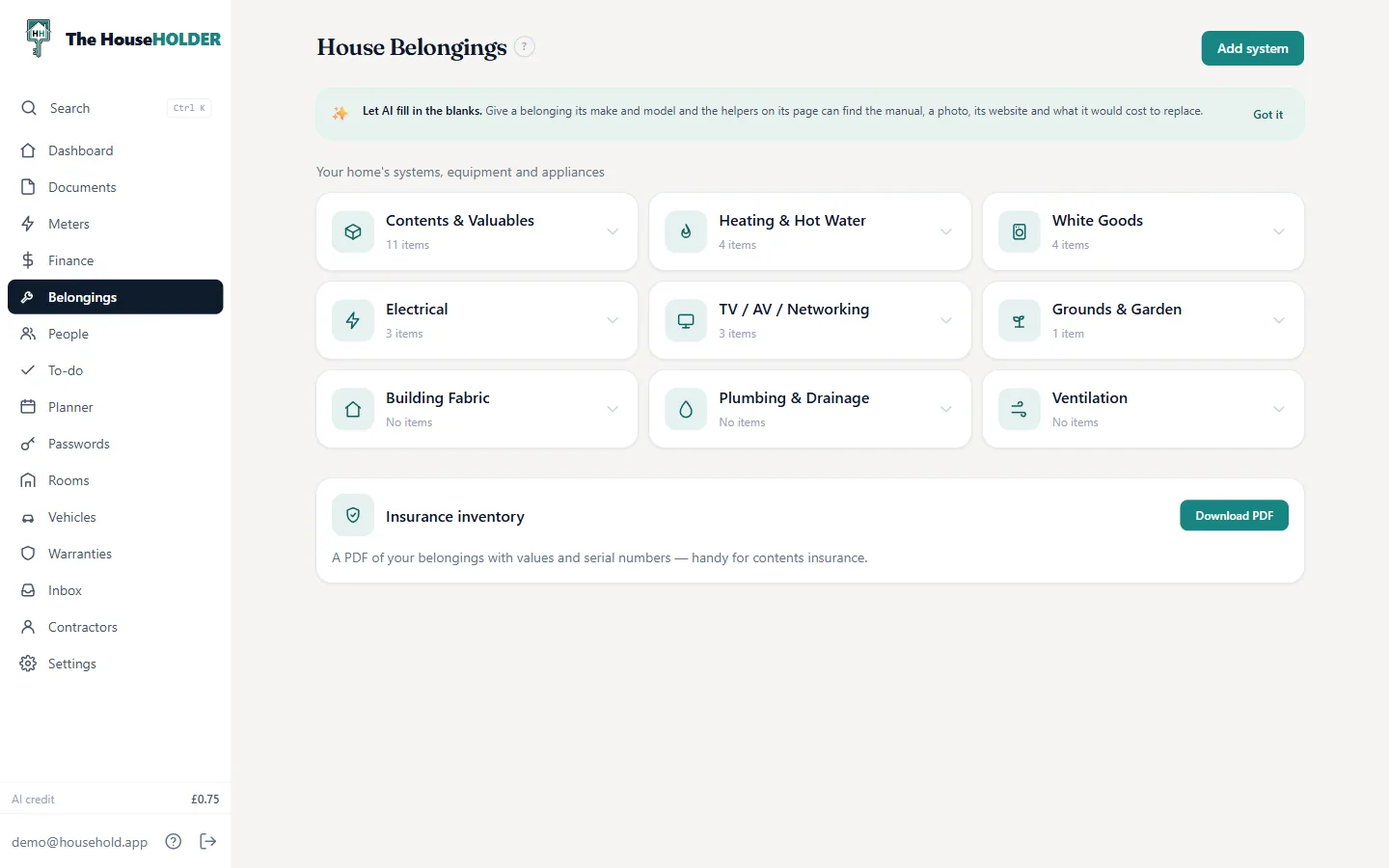
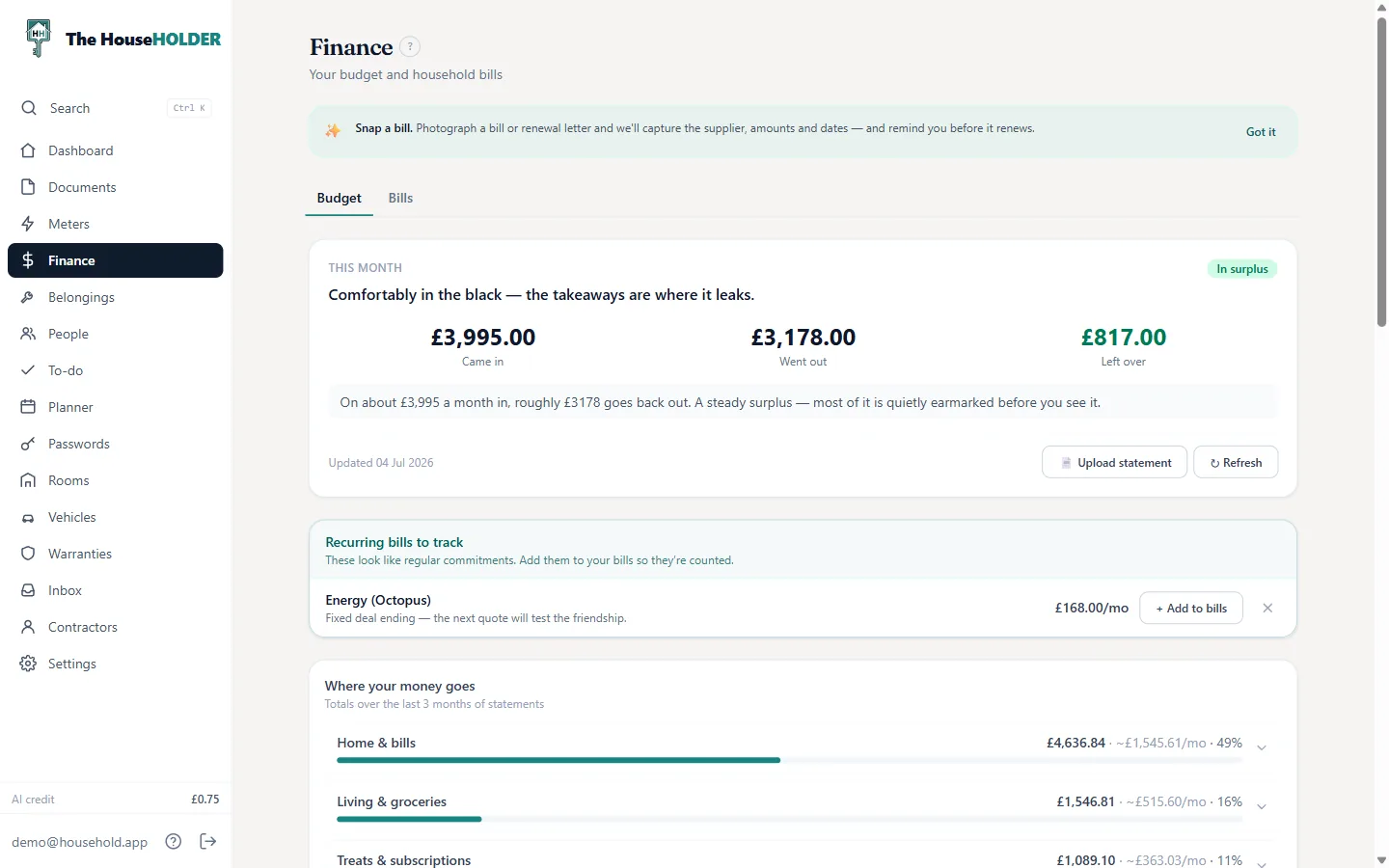
A phone app that grew up. The same calm, with room to spread out — a proper sidebar, and your whole home at a glance.

thehouseholder.diy
The HouseHOLDER desktop dashboard with sidebar navigation
thehouseholder.diy/belongings
Belongings grouped into home systems on desktop
thehouseholder.diy/finance
Finance and budget on desktop

A word of warning

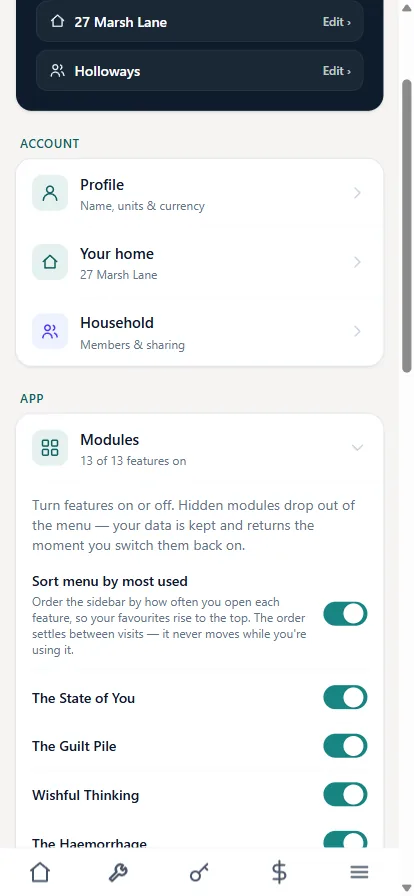
“I put the sarcasm slider on brutal. Now the app calls my budget ‘The Haemorrhage’ — and I’ve never respected software more.”
— A man who asked for this, and got it
Settings with sarcastic mode on: modules renamed to The Haemorrhage, The Guilt Pile, Wishful Thinking

That’s the tour.
There’s no sign-up button.

It’s a private tool — built for one household, and shared with a few people who asked. Not open for signups at the moment.

Email us

Built for my own use — and that’s where it’s staying.